KEIF / Portal
Uniforms, from quote
to delivery, in one place.
Receive a quote and order straight from it. Follow progress and shipments, download delivery notes, request size exchanges — everything you do with KEIF on uniforms, in one view. Quote-to-delivery features come at no extra cost for KEIF customers.
The portal is currently available in Japanese only.
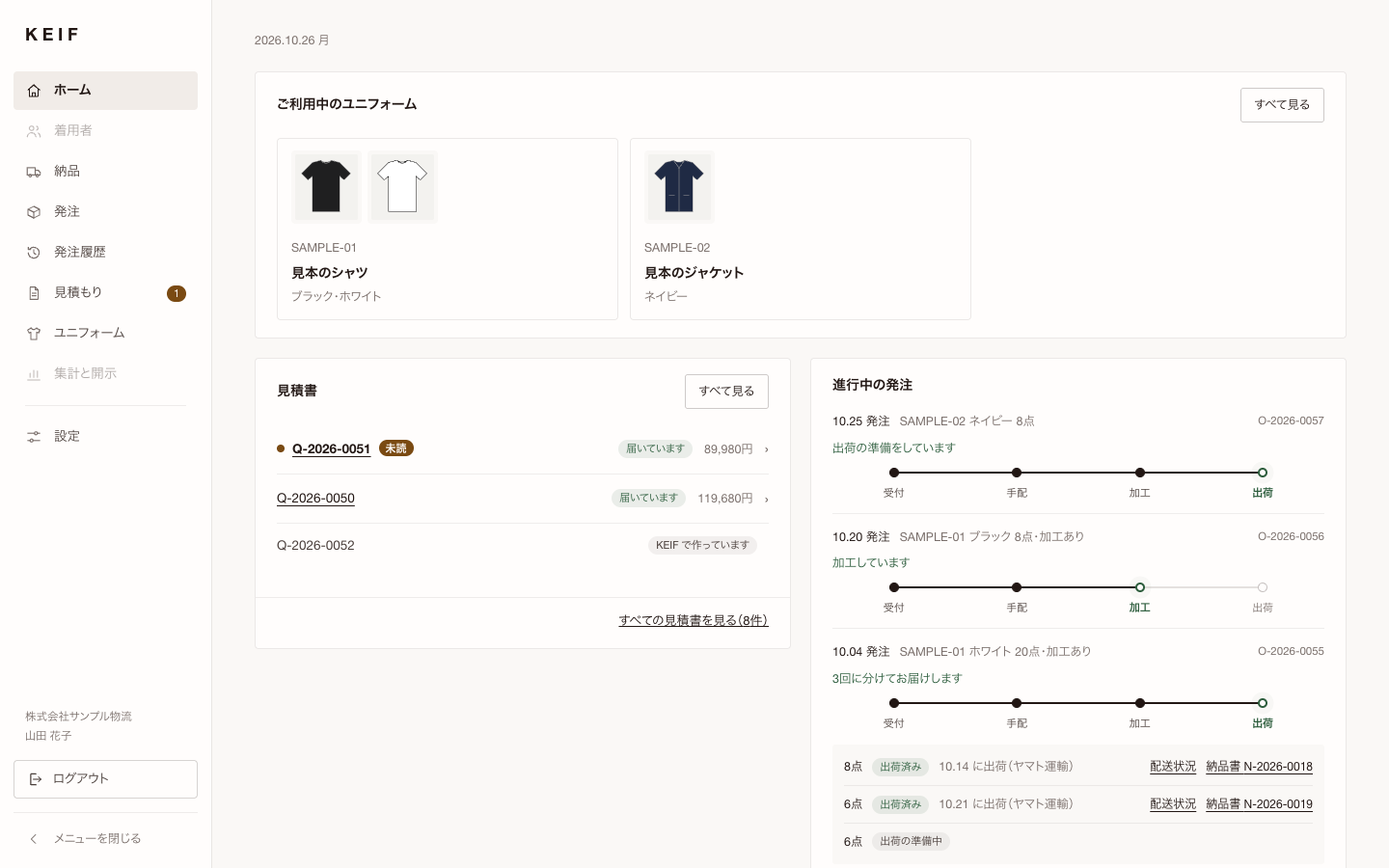
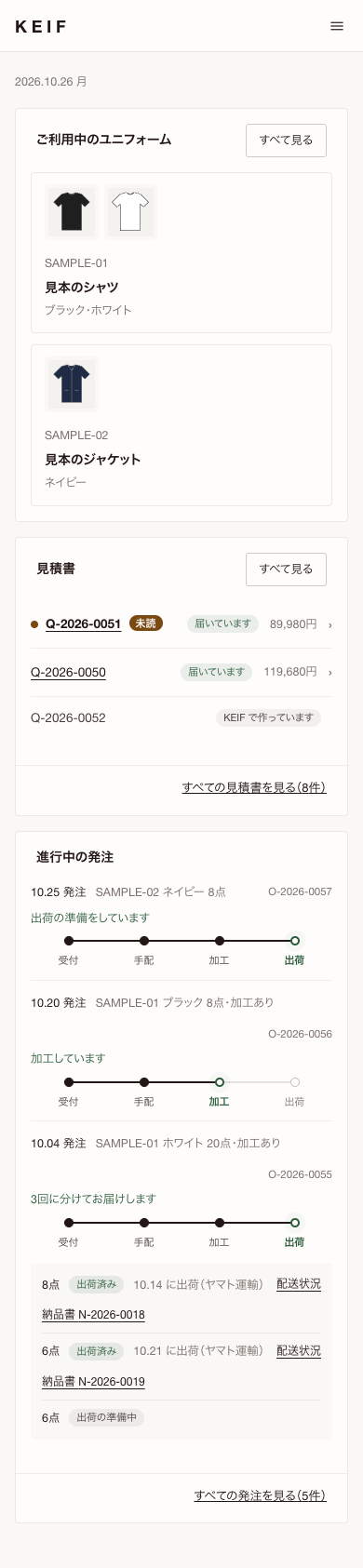
Works on desktop and mobile. Screens show sample data, in Japanese.
Features
What you can do
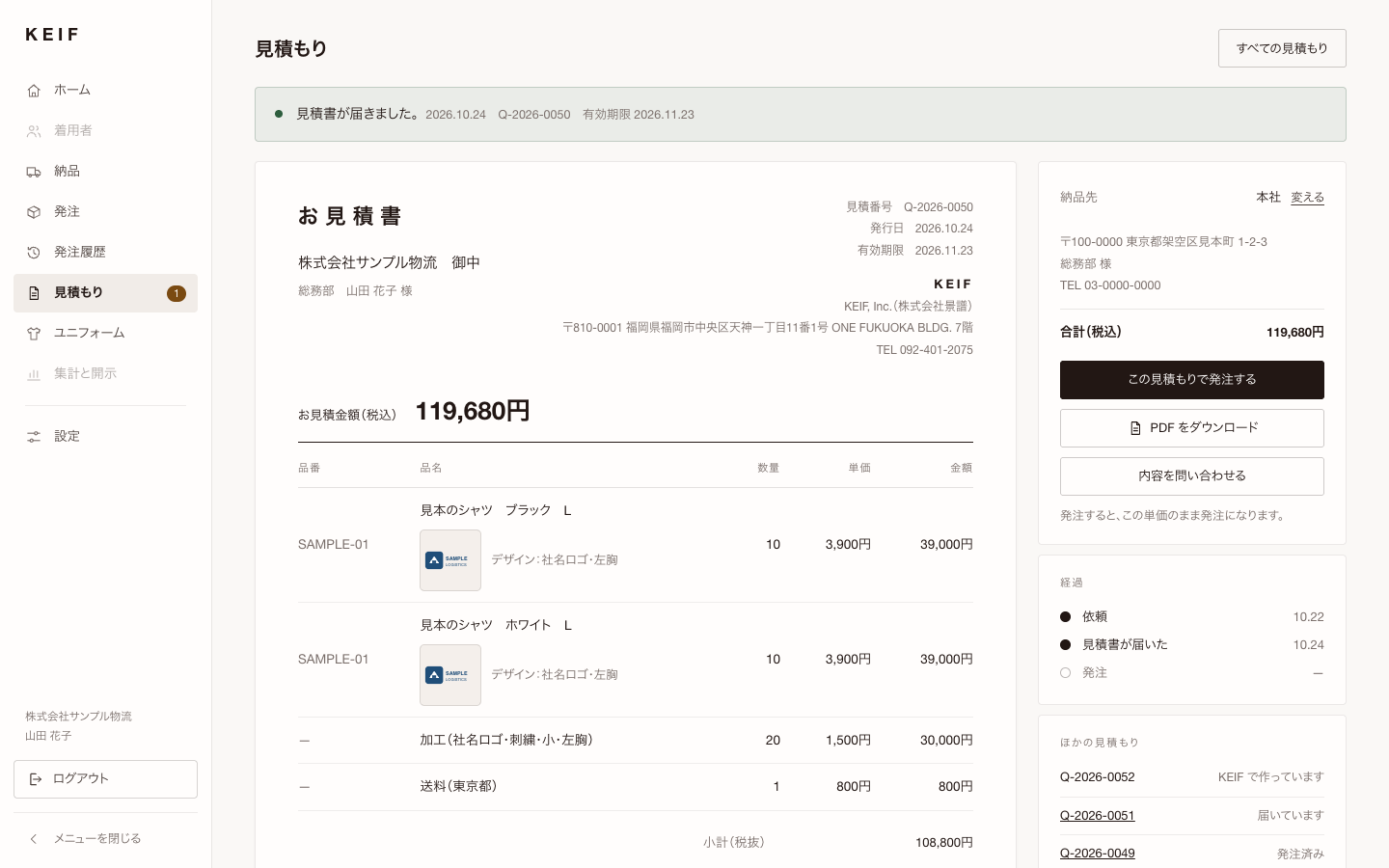
QUOTE
Receive quotes
View each quote on screen or as a PDF. Click “Order with this quote” and the order goes through at the quoted prices.
- Download the PDF
- Ask for a reissue when a quote expires
- Email alert when a quote arrives
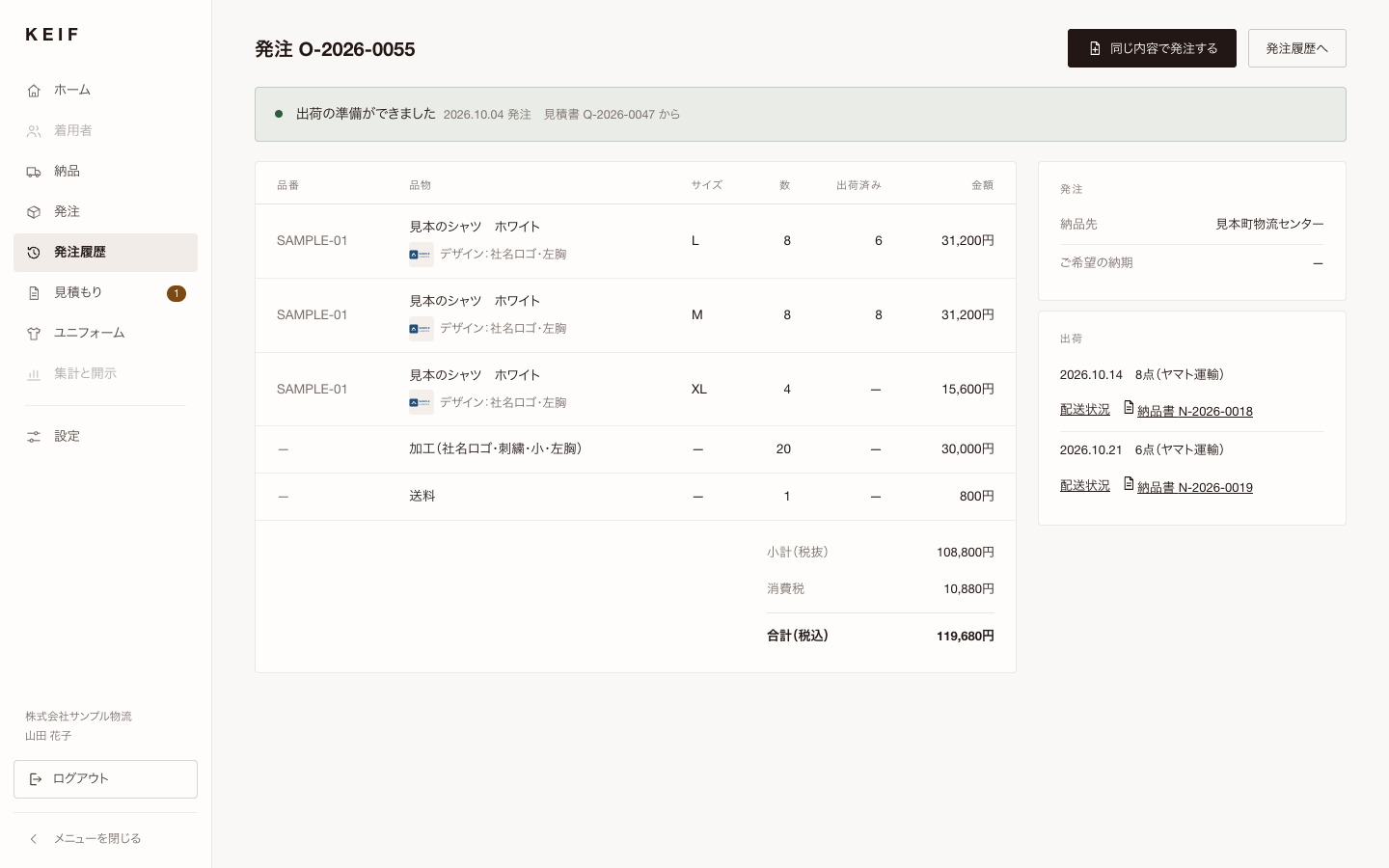
ORDER
Order and track progress
Reorder items you have bought before by choosing quantities per size and the logo position. Each order shows what has shipped and what is still to come. Copy a past order to place it again or to ask for a new quote. Add users and change their roles yourself, and limit ordering to administrators if you wish.
- Received → Arranged → Finishing → Shipped
- Split deliveries tracked shipment by shipment
- Three roles: administrator, orderer, view-only
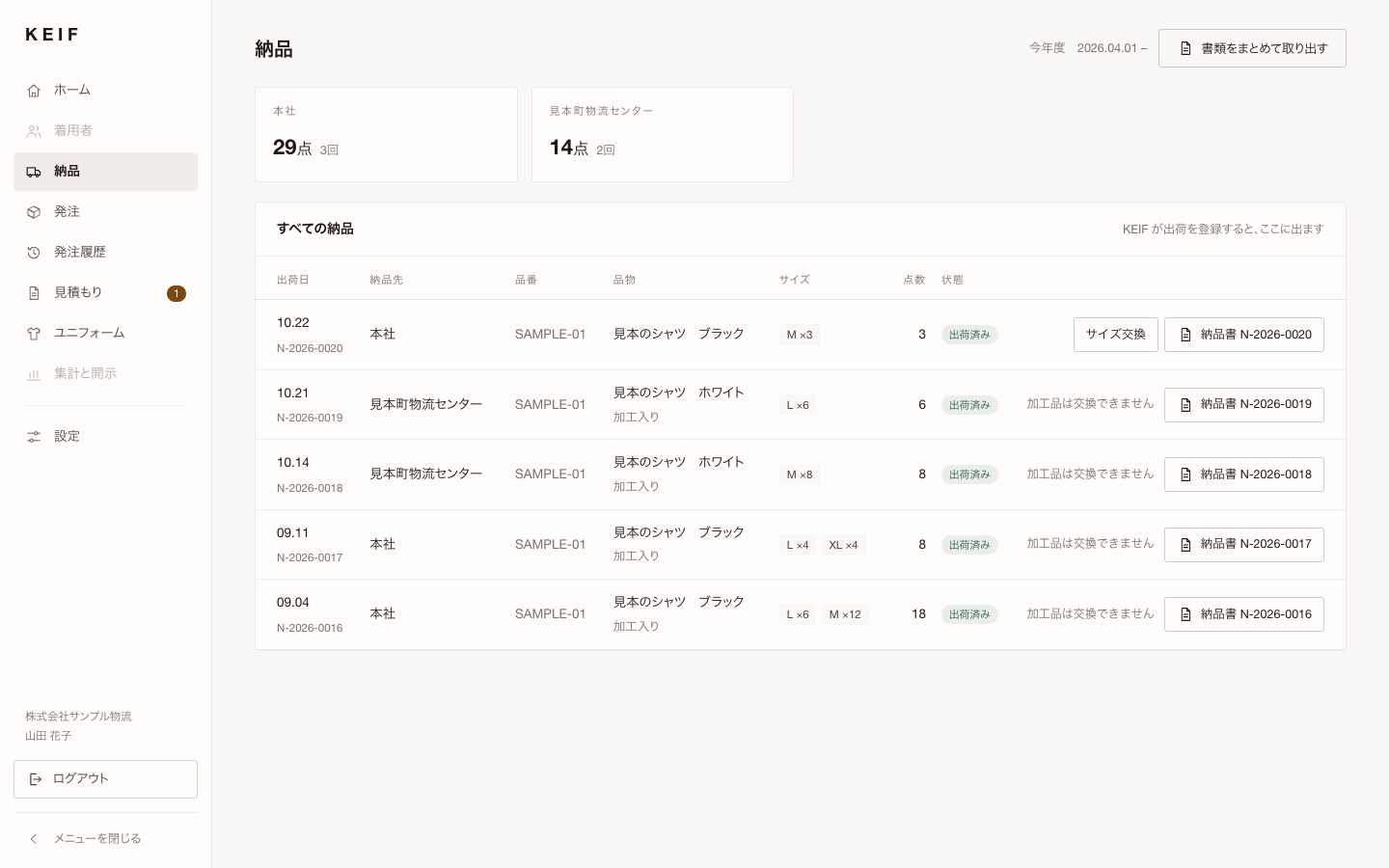
DELIVERY
Keep a record of what arrived
Delivery notes are grouped by site and by shipment, and can be downloaded together. For items without logos or names, you can request a size exchange within 7 days of delivery.
- Download delivery notes in one go
- Delivery status
- Size exchange requests
- Home
Quotes received and orders in progress, at a glance.
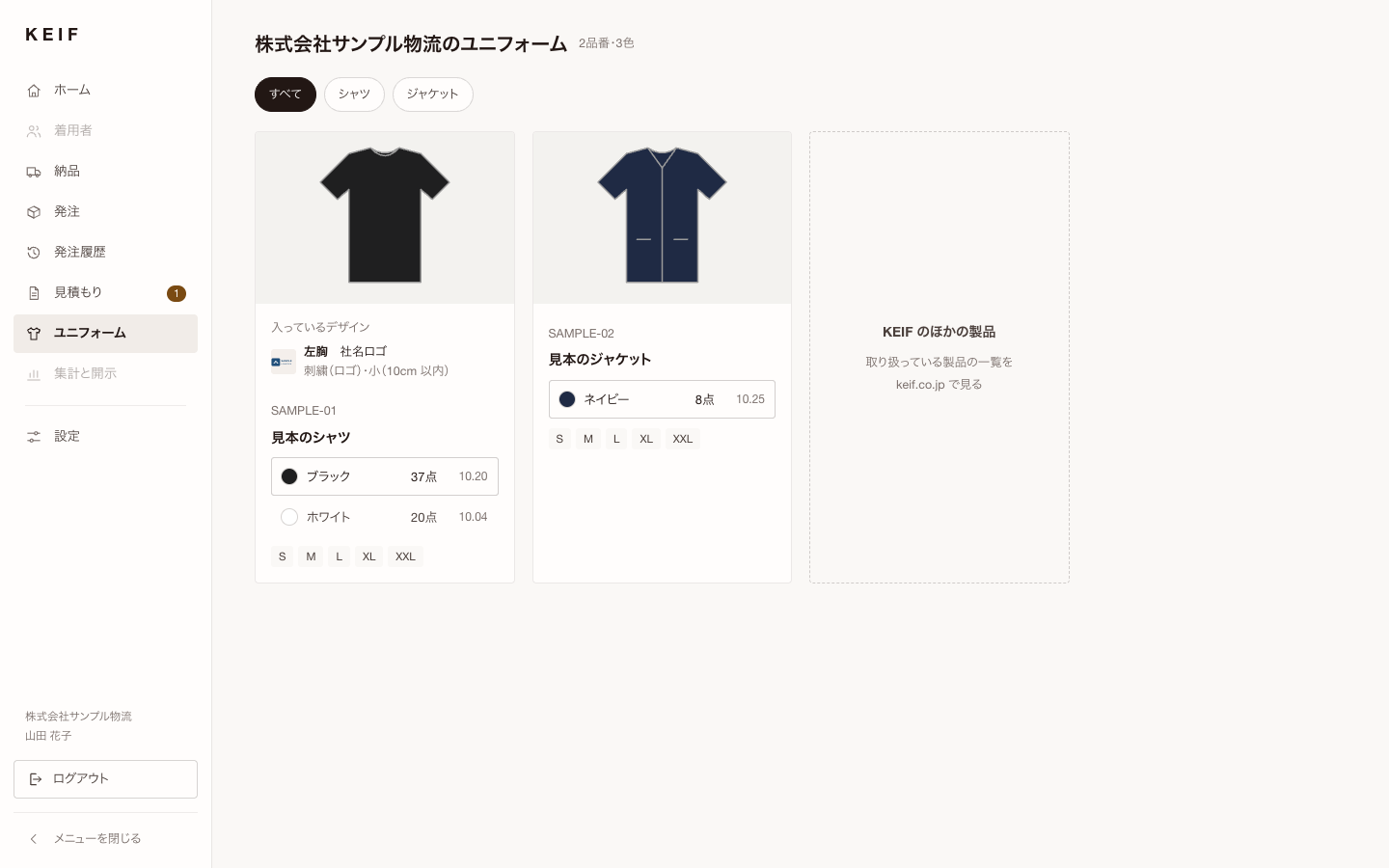 Uniforms
The styles and colors you use, and the designs on them.
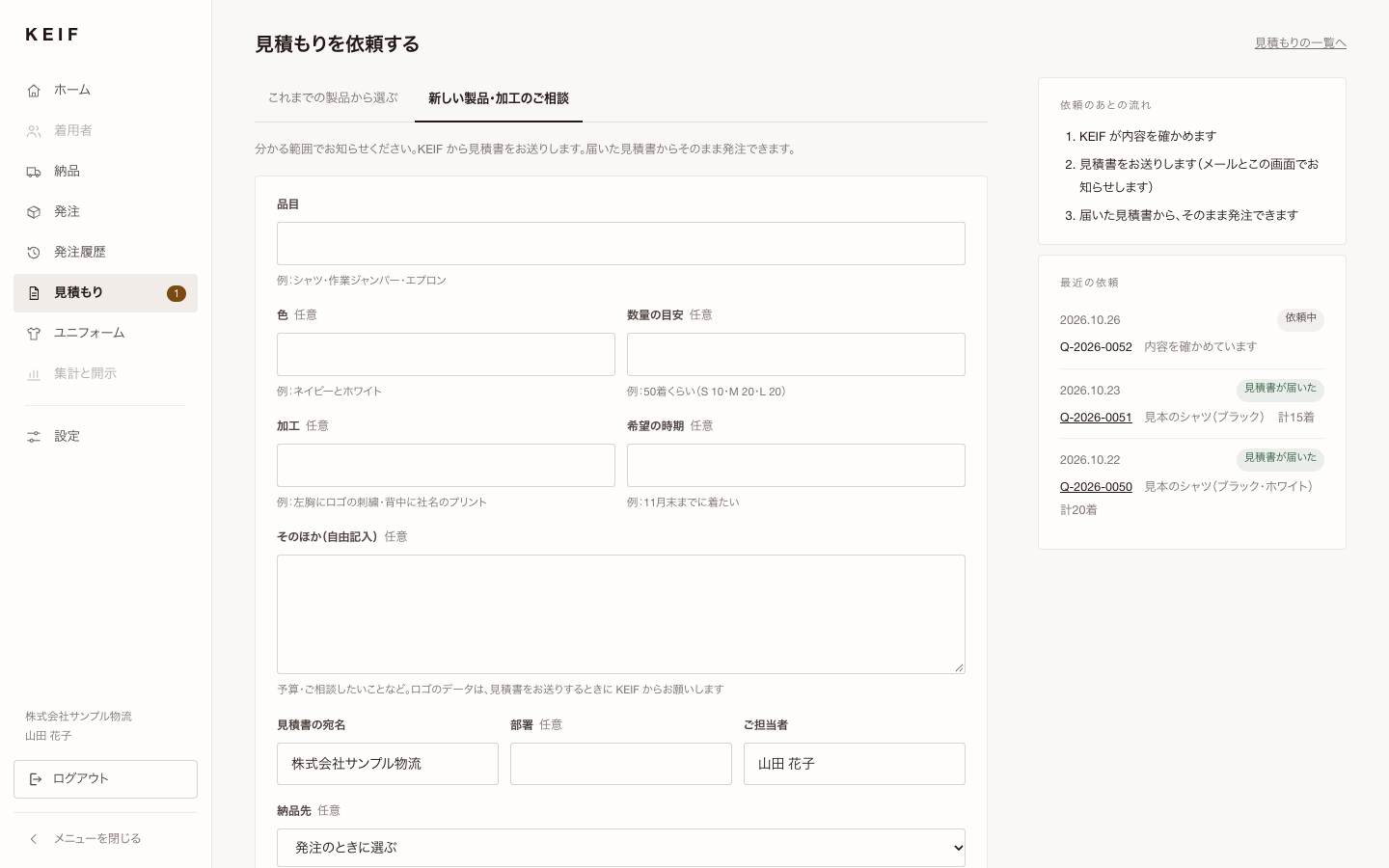 Request a quote
Send a request for new items or finishing as it is.
Screens are samples, using data from a fictional company. Grey items in the left menu are features in preparation.
Safety
Built to be safe to use
You log in with a six-digit code sent to your registered email address.
Administrators add users and decide who can order and who can only view. Access stops immediately for anyone you deactivate.
We also email you when a quote arrives and when an order ships.
Next
What we are adding next.In preparation
For people who order (general affairs, purchasing)
- Wearer lists and stock
- Who received what, and how many. No names required — employee numbers or nicknames work too. Joiners, leavers, size changes and returns, all recorded. Alerts when stock at a site runs low. Import names in bulk from an Excel list.
- Requests with photos and drawings
- Attach a logo or drawing to a quote request. Ask for a repair with a photo of the damaged item.
- Invoices and spend
- Invoices on the same screen as quotes and delivery notes. Compare spend by year and department against budget.
For CSR and sustainability teams
KEIF products are recorded from the making stage: origin, composition and process. We will gather these records for each purchase so they can be used in disclosures. We use no estimated figures — only what the records show. Some of these features are planned as paid services. We will announce the details and prices once they are set.
- Purchase summaries
- Quantities by style, color and size, with materials, origins and processes. Compiled automatically from the DPP records.
- Exports for disclosure
- Primary data for Scope 3 Category 1, as CSV or ready to paste into questionnaires. CO₂ figures for each style once its LCA is complete.
- Annual report (PDF)
- In a form you can attach to integrated reports or answers to customers.
- DPPs of the products you bought
- Open and show them together.
FAQ
Frequently asked questions
When can we start using it?+
We are inviting KEIF customers in stages. KEIF registers your first user; after that, you can add more yourself.
Does it cost anything?+
Quote-to-delivery features come at no extra cost. Uniforms and finishing are charged as quoted. Some of the features we add later are planned as paid services. We will announce the details and prices once they are set.
Will more features be added?+
Yes. Purchase summaries, reports and more will be added in stages. If a new feature is paid, we will tell you in advance.
Can we manage uniforms from other makers?+
No. The portal covers KEIF products.
Is it available in English?+
Not yet. The portal screens are in Japanese only.
Can we use it on a smartphone?+
Yes.
